I built a Chrome extension to make Japanese katakana loanwords easier to read — meet YomiMark
For Chinese-speaking developers reading Japanese tech pages, the real pain isn't kanji — it's katakana loanwords. You can read every character but can't tell the English word in disguise. YomiMark quietly maps them back, fully offline, triggered by text selection.
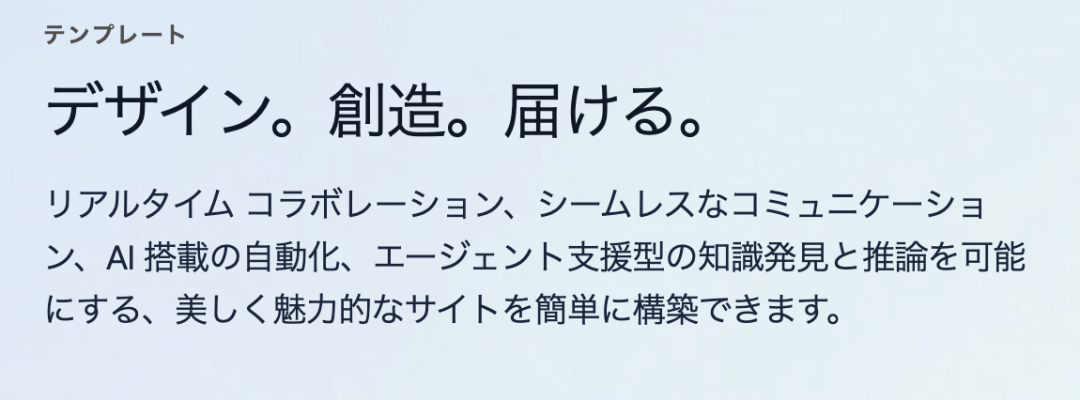
For a developer still learning Japanese, nothing is more frustrating when reading Japanese tech pages than this:
- A wall of kanji — you know what they mean, but not how to pronounce them.
- A wall of katakana loanwords — you recognize every character, yet can't tell what they spell out together. "コンテキスト" is obviously the English word Context, but it takes you several seconds to register.
Like this:
There are plenty of furigana-style annotation extensions out there, but I couldn't find a single one that handled katakana loanwords.
So I decided to build my own. I named it YomiMark.
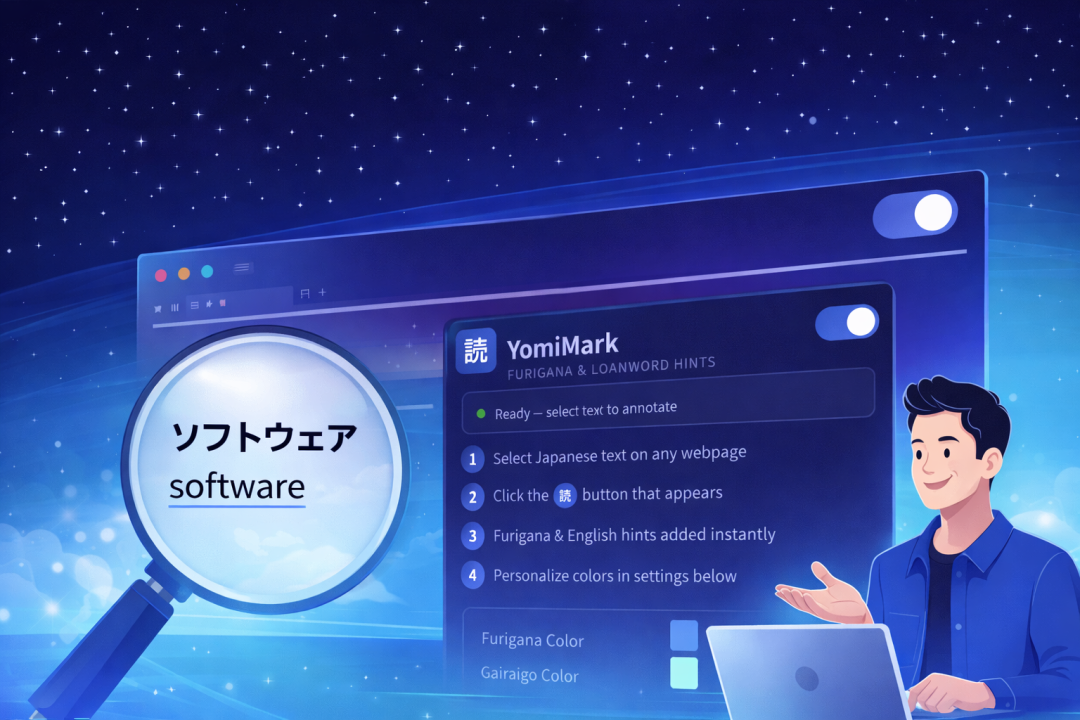
Its mission is simple: show up only when you need it, and give you the most precise help when you do.
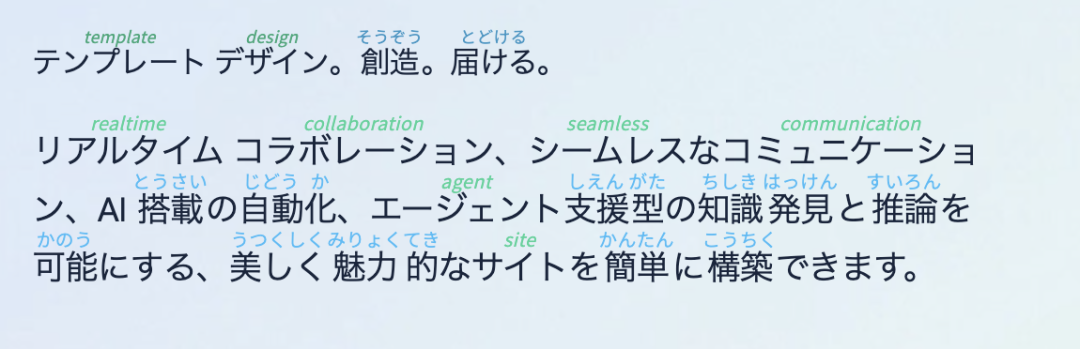
Here's what it looks like in action:
Why YomiMark? The three principles
Three design principles guided the build.
1. Minimalism: select-to-annotate, never intrusive
I didn't want the extension to disrupt the visual flow of any page. YomiMark uses a select-to-trigger flow — annotations only appear after you select some text and click a small purple button. The interaction encourages "read first, look up second," which actually helps long-term memory for learners.
2. More than kanji: a rescue line for katakana
This is YomiMark's signature feature. It doesn't just add furigana to kanji — it ships with a built-in loanword dictionary. Select a word like "イノベーション" and it doesn't just tell you the kana reading; it shows you the original English word (Innovation). For beginners surfing tech docs, this is a game-changer.
3. Privacy and speed: fully offline
I don't believe everything needs to go through the cloud. YomiMark bundles the morphological analyzer (kuromoji.js) and the full dictionary directly inside the extension. That means selected text never leaves your browser — preserving your reading privacy and delivering instant response without waiting on network latency.
Feature highlights
- Smart tokenization — built on a mature morphological engine that detects word boundaries accurately.
- Native rendering — uses the HTML standard
<ruby>tag, so annotations look as natural as a textbook and adapt to any font style. - Dark mode — the popup ships with a minimal, refined dark theme. Taste matters.
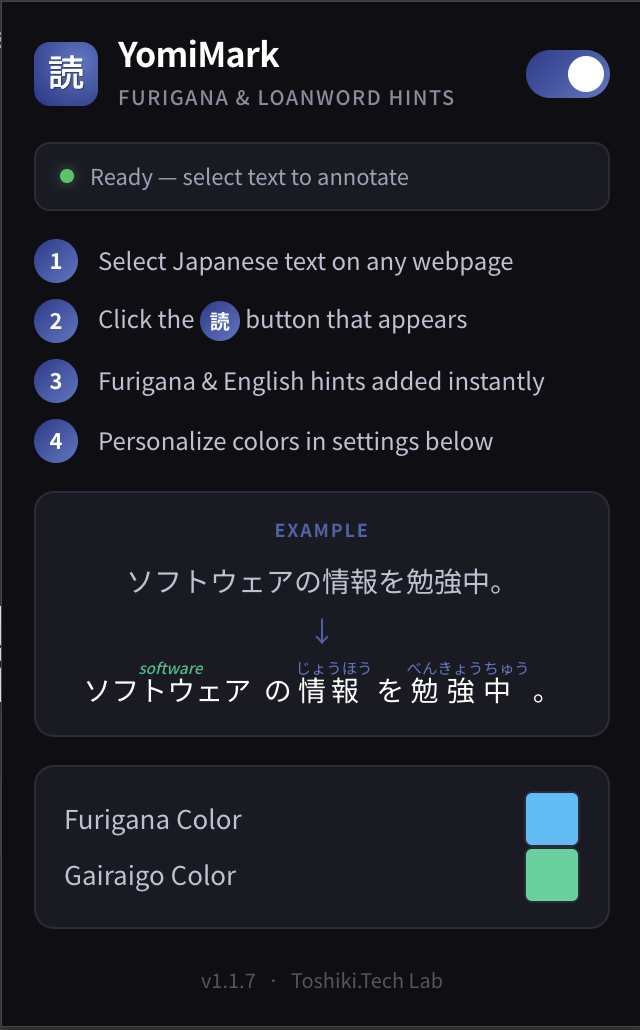
- Fully customizable — find the default colors too subtle? Adjust the kanji and loanword annotation colors freely in settings.
Who is YomiMark for?
- IT professionals browsing Japanese corporate sites or tech docs who need to pick up domain vocabulary quickly.
- News readers working through NHK News or Yahoo Japan who keep getting stuck on dense place names and political terms.
- JLPT learners training real-world reading instincts on actual web pages.
Getting started
YomiMark is in active V1 iteration. Grab it from the Chrome Web Store.
- Select text — just like copying text, highlight the Japanese you want to read.
- Click "読" — a small button appears above your selection.
- Instant unlock — annotations appear right away.
- Personalize — pick the annotation colors that suit your eye.
Closing notes
YomiMark grew out of my own pain point as a developer learning Japanese — wanting katakana loanwords to feel a little less alien.
I hope this small extension can be a stepping stone on someone else's Japanese journey. If you find it useful, please share it with anyone else still climbing the same hill.
Developed with care by Toshiki.Tech